Tracking Objects with the Robotic Arm
05_06_color_follow
- Running the cell codeCtrl + Enter
Recognition and tracking of blue, green, yellow and red objects using robotic arm camera
Import head file
import cv2 as cv
import threading
import random
from time import sleep
import ipywidgets as widgets
from IPython.display import display
from color_follow import color_follow
Initialize DOFBOT position
import Arm_Lib
Arm = Arm_Lib.Arm_Device()
joints_0 = [90, 135, 20, 25, 90, 30]
Arm.Arm_serial_servo_write6_array(joints_0, 1000)
Create the instance and initialize the parameters
follow = color_follow()
model = 'General'
HSV_learning = ()
color_hsv = {"red": ((0, 25, 90), (10, 255, 255)),
            "green": ((53, 36, 40), (80, 255, 255)),
            "blue": ((110, 80, 90), (120, 255, 255)),
            "yellow": ((25, 20, 55), (50, 255, 255))}

color = [[random.randint(0, 255) for _ in range(3)] for _ in range(255)]
Creating controls
button_layout = widgets.Layout(width='200px', height='100px', align_self='center')

output = widgets.Output()

color_follow = widgets.Button(description='color_follow', button_style='success', layout=button_layout)

choose_color = widgets.ToggleButtons(options=['red', 'green', 'blue', 'yellow'], button_style='success',
            tooltips=['Description of slow', 'Description of regular', 'Description of fast'])

follow_cancel = widgets.Button(description='follow_cancel', button_style='danger', layout=button_layout)

learning_color = widgets.Button(description='learning_color', button_style='primary', layout=button_layout)

learning_follow = widgets.Button(description='learning_follow', button_style='success', layout=button_layout)

exit_button = widgets.Button(description='Exit', button_style='danger', layout=button_layout)

imgbox = widgets.Image(format='jpg', height=480, width=640, layout=widgets.Layout(align_self='auto'))

img_box = widgets.VBox([imgbox, choose_color], layout=widgets.Layout(align_self='auto'))

Slider_box = widgets.VBox([color_follow, learning_color, learning_follow,follow_cancel,exit_button],
                        layout=widgets.Layout(align_self='auto'))

controls_box = widgets.HBox([img_box, Slider_box], layout=widgets.Layout(align_self='auto'))
# ['auto', 'flex-start', 'flex-end', 'center', 'baseline', 'stretch', 'inherit', 'initial', 'unset']
Switch mode
def color_follow_Callback(value):
    global model
    model = 'color_follow'
def learning_color_Callback(value):
    global model
    model = 'learning_color'
def learning_follow_Callback(value):
    global model
    model = 'learning_follow'
def follow_cancel_Callback(value):
    global model
    model = 'General'
def exit_button_Callback(value):
    global model
    model = 'Exit'
color_follow.on_click(color_follow_Callback)
learning_color.on_click(learning_color_Callback)
learning_follow.on_click(learning_follow_Callback)
follow_cancel.on_click(follow_cancel_Callback)
exit_button.on_click(exit_button_Callback)
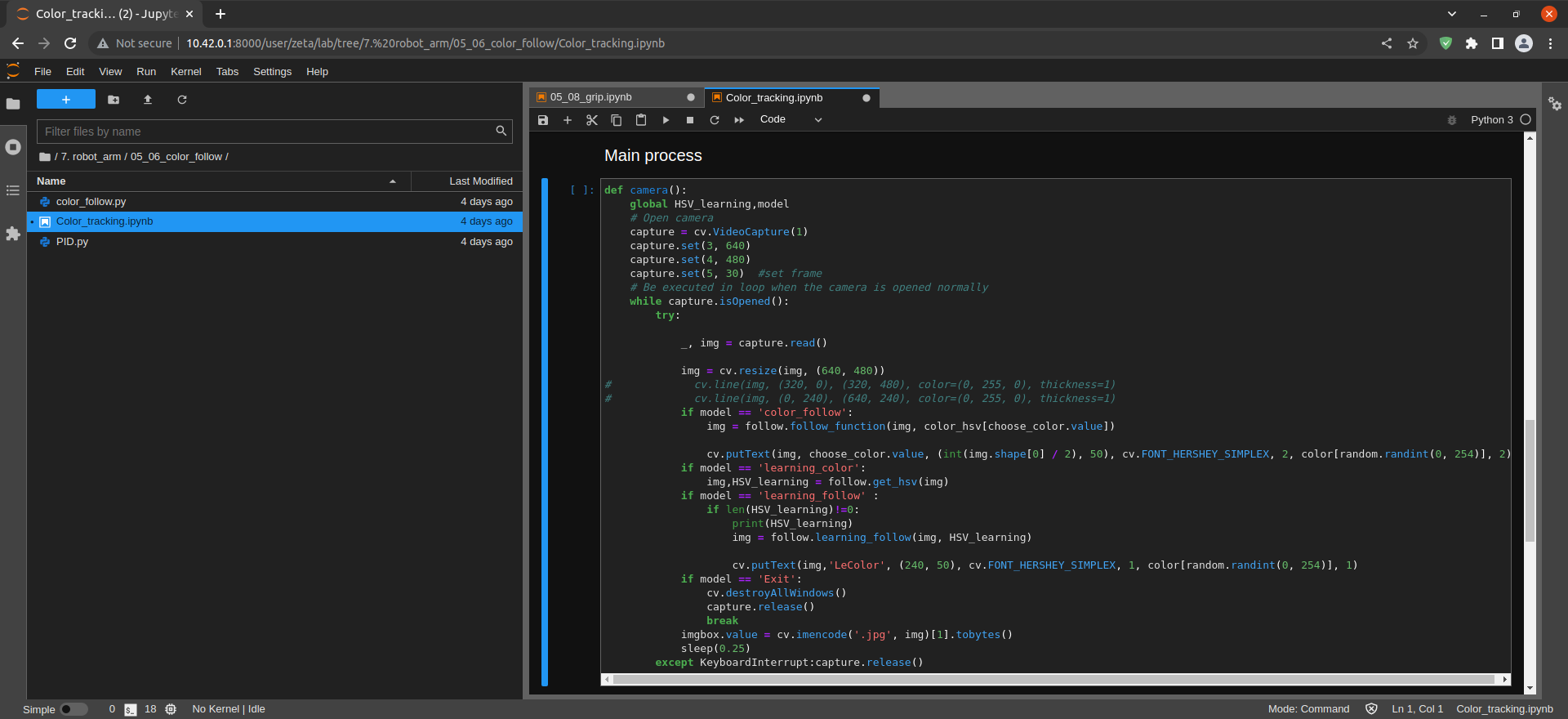
def camera():
    global HSV_learning,model
    # Open camera
    capture = cv.VideoCapture(1)
    capture.set(3, 640)
    capture.set(4, 480)
    capture.set(5, 30)  #set frame
    # Be executed in loop when the camera is opened normally
    while capture.isOpened():
        try:

            _, img = capture.read()

            img = cv.resize(img, (640, 480))
#             cv.line(img, (320, 0), (320, 480), color=(0, 255, 0), thickness=1)
#             cv.line(img, (0, 240), (640, 240), color=(0, 255, 0), thickness=1)
            if model == 'color_follow':
                img = follow.follow_function(img, color_hsv[choose_color.value])

                cv.putText(img, choose_color.value, (int(img.shape[0] / 2), 50), cv.FONT_HERSHEY_SIMPLEX, 2, color[random.randint(0, 254)], 2)
            if model == 'learning_color':
                img,HSV_learning = follow.get_hsv(img)
            if model == 'learning_follow' :
                if len(HSV_learning)!=0:
                    print(HSV_learning)
                    img = follow.learning_follow(img, HSV_learning)

                    cv.putText(img,'LeColor', (240, 50), cv.FONT_HERSHEY_SIMPLEX, 1, color[random.randint(0, 254)], 1)
            if model == 'Exit':
                cv.destroyAllWindows()
                capture.release()
                break
            imgbox.value = cv.imencode('.jpg', img)[1].tobytes()
            sleep(0.25)
        except KeyboardInterrupt:capture.release()
Start
display(controls_box,output)
threading.Thread(target=camera, ).start()